|
<< Contents
<< Data Panes
<< Serial Bus Text
<< OPTIONS
|
| |
|
|
| |
|
| |
|
|
| |
|
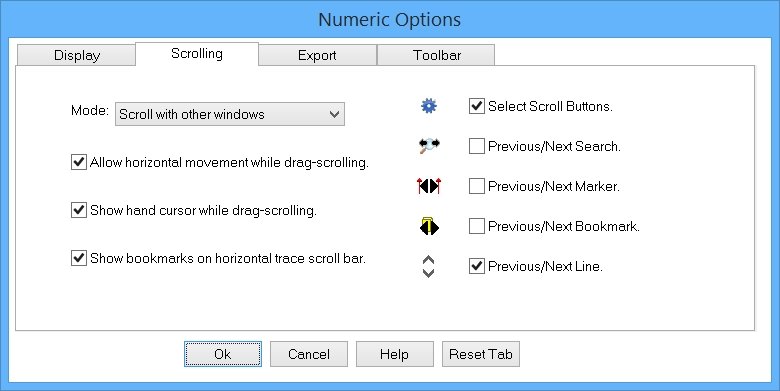
Customize the scroll mode behavior...
|
| |
|
|
| |
|
Scrolls the waveform with other data views. (This is the default)
|
| |
|
|
| |
|
Scrolls the waveforms separately from the other data views.
|
| |
|
|
| |
|
When checked, the Grab-n-Drag horizontal scrolling also scrolls the view horizontally. When unchecked, no horizontally scrolling occurs during Grab-n-Drag scrolling.
|
| |
|
|
| |
|
When checked, a hand cursor is displayed when the mouse is over the waveforms. When unchecked, the standard arrow cursor is displayed.
|
| |
|
The "Zoom Anchor: Mouse Cursor" option uses the arrow cursor.
|
| |
|
The "Mouse Mode: Drag-Zoom" and "Drag-Trig" options also use the arrow cursor.
|
| |
|
|
| |
|
When checked, bookmark markers are visible on the Trace ScrollBar. When unchecked, no bookmarks are visible on the Trace ScrollBar.
|
| |
|
|
| |
|
Select the buttons displayed on the horizontal Trace ScrollBar.
|
| |
|
Copyright and trademark information
|

|