|
<< Contents
<< Workbar
<< WorkBar Tabs
<< TRIGGER
<< Serial Bus Trigger
|
| |
|
|
| |
|
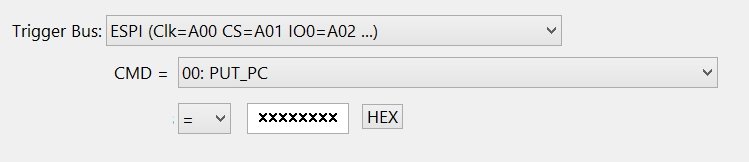
The logic analyzer triggers when the data stream matches the TriggerForm values.
|
| |
|
| |
|
CMD
|
| |
|
Select the CMD Opcode from the list box.
|
| |
|
Qualifier
|
| |
|
Select the "=" or "!=" qualifier for the address/data value.
|
| |
|
Address / Data
|
| |
|
Enter the optional CMD address/data value.
|
| |
|
Note: not all CMD opcodes have address/data fields.
|
| |
|
Base
|
| |
|
Click the "Hex" or "Binary" button to choose the numeric base for the address / data edit box. This option is cosmetic and has no affect on the trigger behavior.
|
| |
|
Copyright and trademark information
|

|